
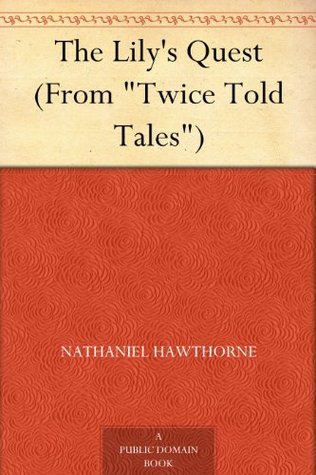
The Lily's Quest
- Downloads
- Under 100
- Pages
- 21
About this book
The Lily's Quest is one of Nathaniel Hawthorne's shorter pieces, originally published in his Twice Told Tales collection. The story is a brief allegory in the parable mode that several of his shorter pieces worked in. The Lily of the title is the central female character whose quest provides the structural anchor for the wider story, with the central premise involving her search for a particular kind of place or experience that she has been pursuing.
Hawthorne uses the allegorical framework to develop the kind of moral material that distinguishes his best shorter fiction. The Lily's quest, the various trials and complications she encounters across the narrative, and the eventual resolution of her search all work in the parable register that Hawthorne's shorter allegories reliably delivered.
The story is brief and well suited to a single reading. For readers coming to Hawthorne through The Scarlet Letter and The House of the Seven Gables, The Lily's Quest shows him in a more directly allegorical mode. For students of nineteenth century American literature or of Hawthorne's wider catalogue, the piece is worth knowing.
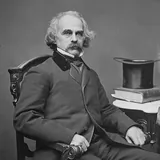
About the author

More from this genre
See all- O OrmondOrmond
- H The House of the Secret (La Maison Des Hommes Vivants)The House of the Secret (La Maison Des Hommes Vivants)
- Q The Queen of the IsleThe Queen of the Isle
- T Tales of the SupernaturalTales of the Supernatural
- D The Devil's Elixir, Vol. 1The Devil's Elixir, Vol. 1
- P The Poor ClareThe Poor Clare
Books like this one


Reviews and discussion
No ratings yet. Be the first reader to rate this book.
Rate this book
Pick a star, then sign in. Only readers who confirmed their email can rate.
No comments yet. Share a thought, a question or a favourite passage.
Copyright concern? Read our DMCA policy
Read or download
Public domain book This work is in the public domain and free of copyright. Anyone may read, download and share it.
- EPUB 88 KB
-
KINDLE Send to Kindle Send
- Download the EPUB file to this device.
- Open Amazon's Send to Kindle page, sign in, and add the file. Open Send to Kindle (opens in a new tab)
On a phone: open the downloaded EPUB and share it to the Kindle app.
You can also email the file to your Kindle address (it ends in @kindle.com) from an email address you approved in your Amazon account.
- PDF 188 KB
- MOBI 196 KB
Downloads start right away. How to open EPUB on your phone
Book facts
- Author
- Nathaniel Hawthorne
- Reading time
- About 25 minutes
- Pages
- 21
- Language
- English
- Genre
- Gothic Horror
- Formats
- PDF, EPUB, MOBI, Read online